> ## Documentation Index
> Fetch the complete documentation index at: https://docs.spockoffice.com/llms.txt
> Use this file to discover all available pages before exploring further.
# Cancel Leave
> Learn how to delete or cancel your leave requests through Slack or the Spock Dashboard.
You can cancel a leave request through either Slack or the Spock Dashboard. This is useful when your plans change or you no longer need the time off.
Once you delete a leave request, this action cannot be undone. Make sure you really want to cancel before confirming.
## Delete Request in Slack
Navigate to the Spock application within your Slack workspace.
Click the **My leave** button to view your current requests.
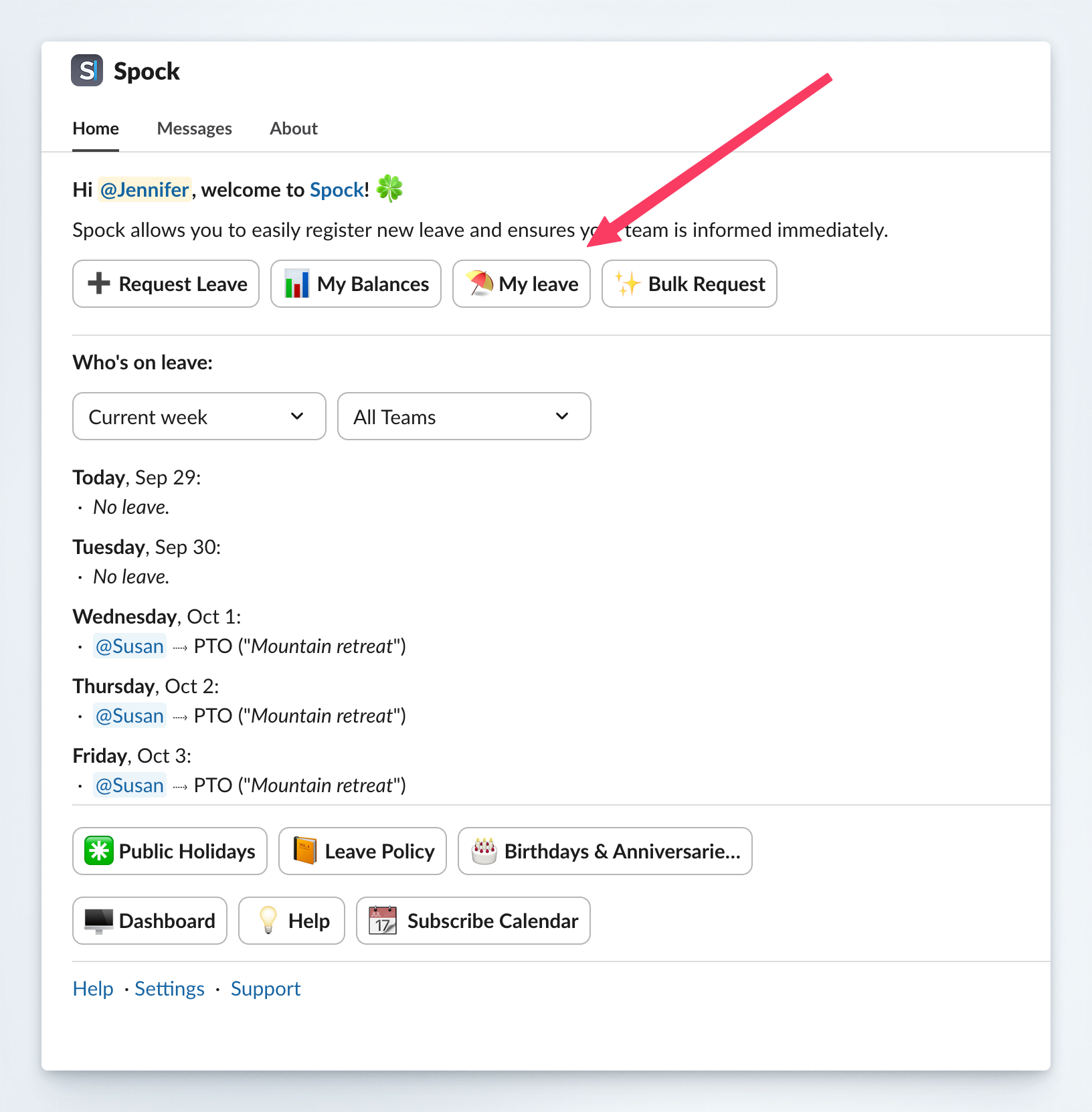 Locate the leave request you want to delete from the list.
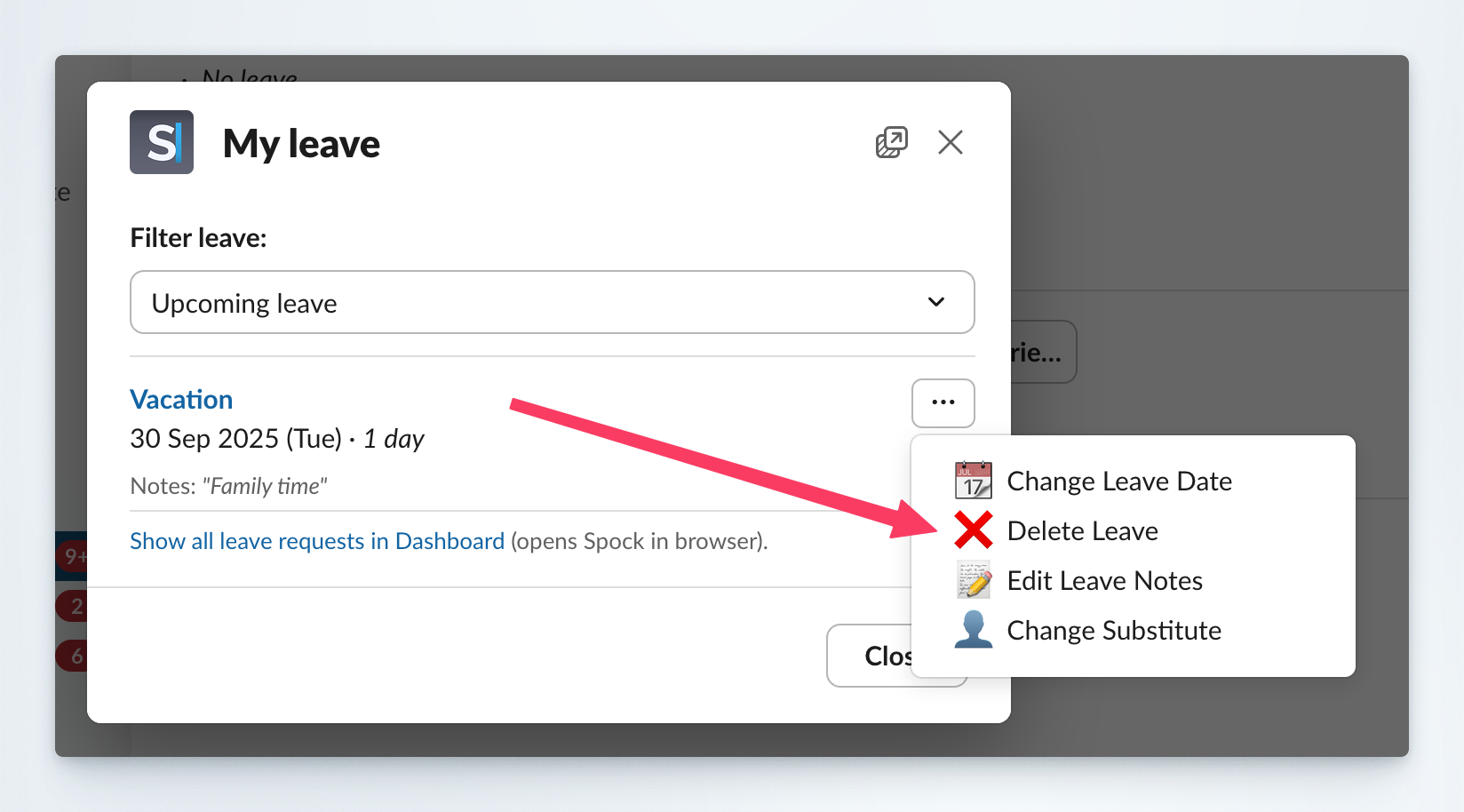 Click the **Delete** button next to the leave request.
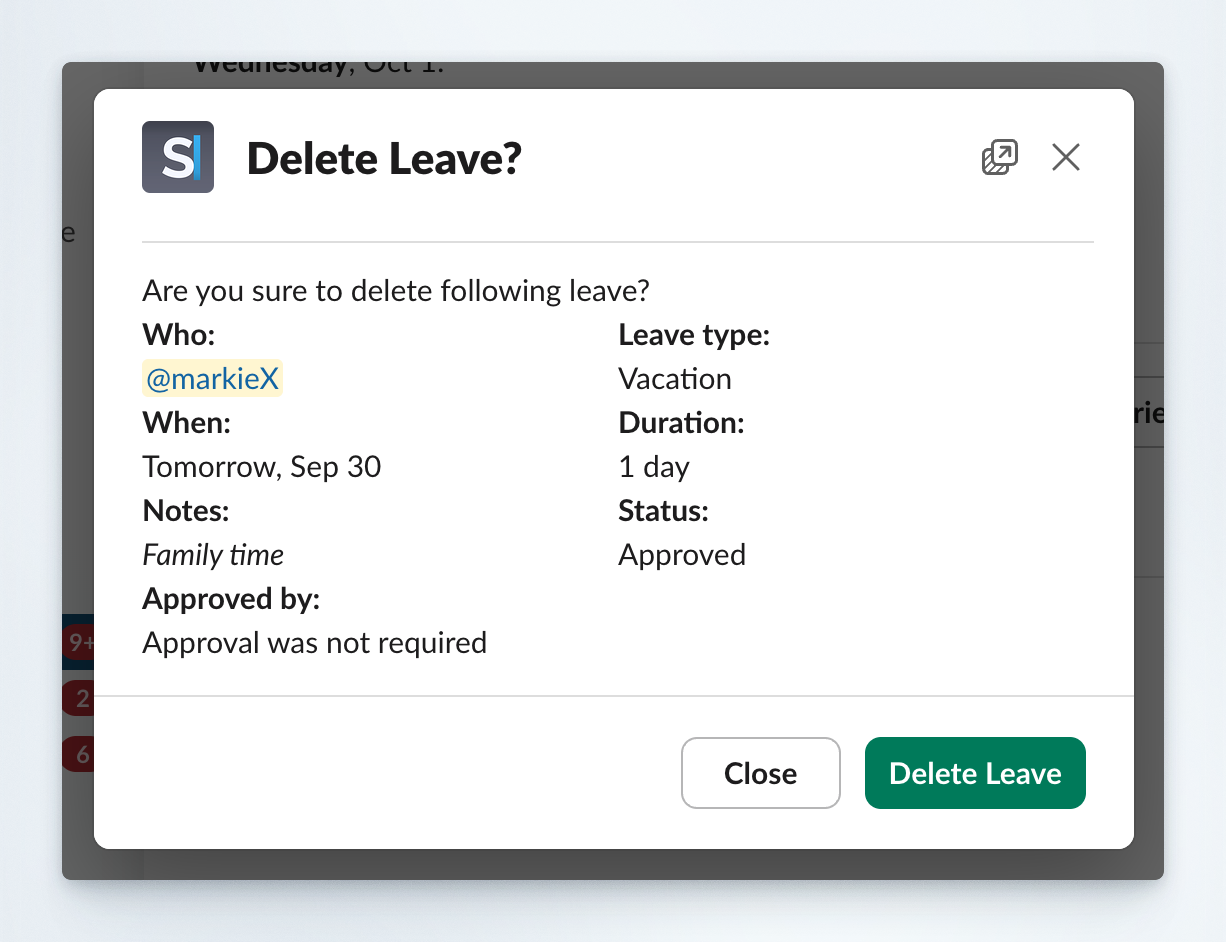 Confirm the action when prompted to permanently delete the request.
## Delete Request in Dashboard
Access the [Spock Dashboard](/spock/getting-started/dashboard-signin) using your Slack credentials.
Click the **Profile** tab in the main navigation.
Locate the list of approved leaves section on your profile page.
Find your leave request and click the **Delete** button next to it.
Confirm the action when prompted to permanently delete the request.
## Delete Request in Dashboard
Access the [Spock Dashboard](/spock/getting-started/dashboard-signin) using your Slack credentials.
Click the **Profile** tab in the main navigation.
Locate the list of approved leaves section on your profile page.
Find your leave request and click the **Delete** button next to it.
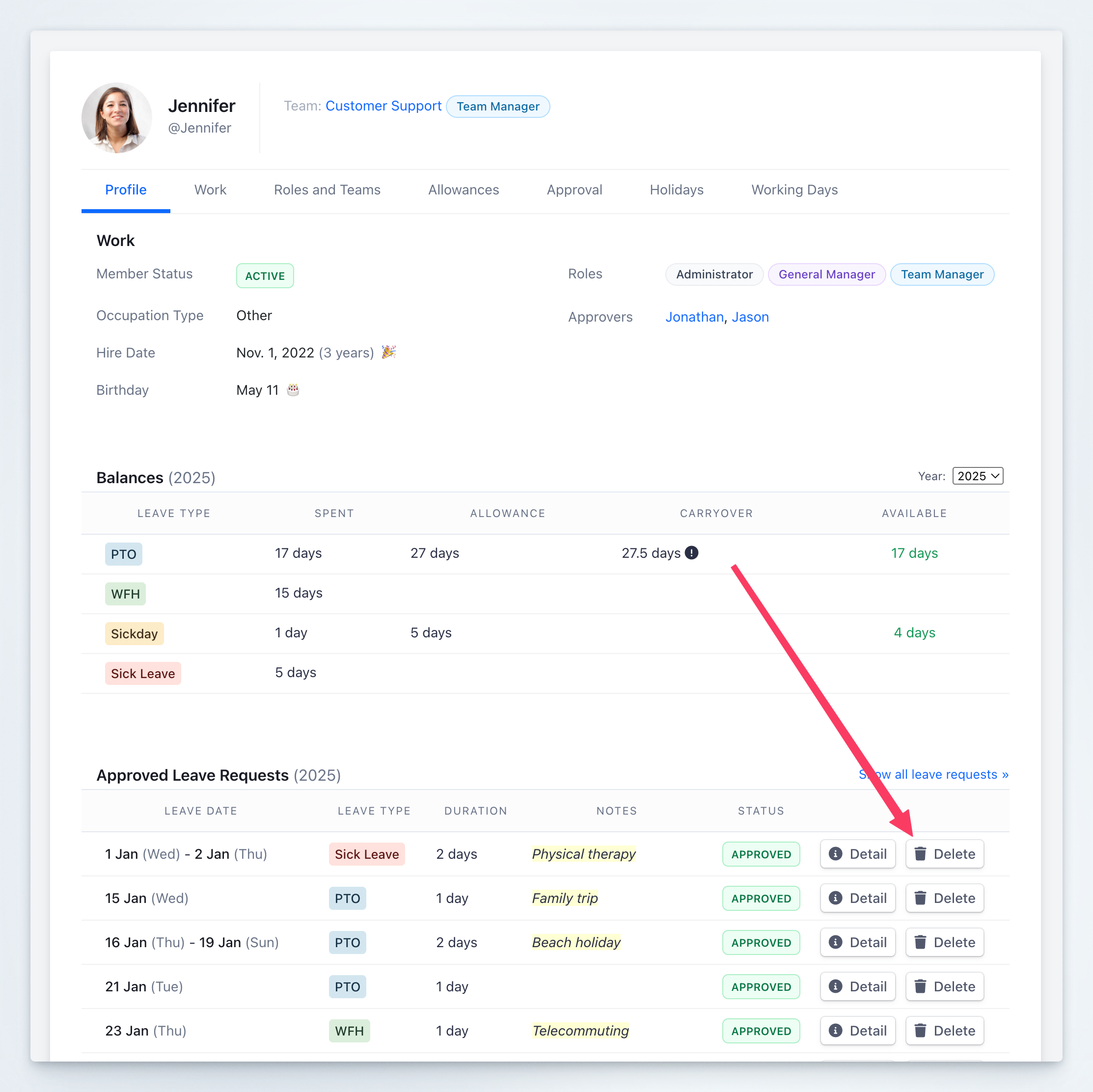 Confirm the deletion when prompted to complete the cancellation.
## Important Considerations
You can typically delete leave requests that are:
* Pending approval
* Already approved (depending on company policy)
* Rejected requests (for cleanup purposes)
Deleting a leave request may trigger notifications to:
* Your manager or approvers
* Team members who were notified of your absence
* Colleagues assigned as substitutes
If you have calendar integration enabled, deleting the request will also remove the associated calendar events.
## Related Topics
Learn how to submit new leave requests.
Understand the approval process for leave requests.
If you need to modify a leave request instead of deleting it, consider canceling the current request and submitting a new one with the updated details.
Confirm the deletion when prompted to complete the cancellation.
## Important Considerations
You can typically delete leave requests that are:
* Pending approval
* Already approved (depending on company policy)
* Rejected requests (for cleanup purposes)
Deleting a leave request may trigger notifications to:
* Your manager or approvers
* Team members who were notified of your absence
* Colleagues assigned as substitutes
If you have calendar integration enabled, deleting the request will also remove the associated calendar events.
## Related Topics
Learn how to submit new leave requests.
Understand the approval process for leave requests.
If you need to modify a leave request instead of deleting it, consider canceling the current request and submitting a new one with the updated details.