> ## Documentation Index
> Fetch the complete documentation index at: https://docs.spockoffice.com/llms.txt
> Use this file to discover all available pages before exploring further.
# Upgrade to Professional Plan
> Learn how to upgrade Spock to a monthly subscription and manage your billing information.
When you want to upgrade Spock to monthly subscription, follow these steps to complete the process.
## How to Upgrade to Monthly Subscription
Sign in to Spock Dashboard.
Click **Account** tab.
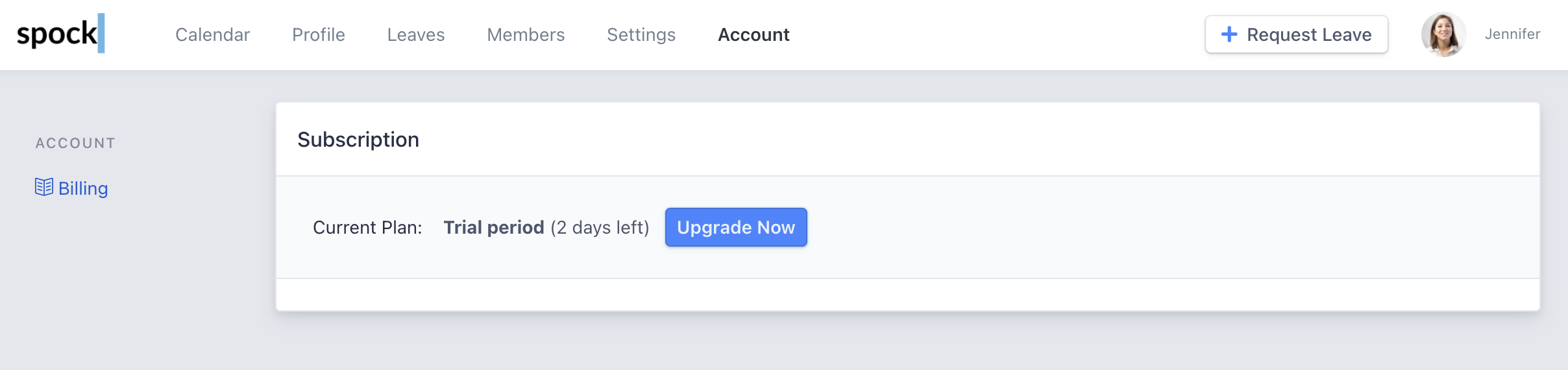 Click **Upgrade Now** button.
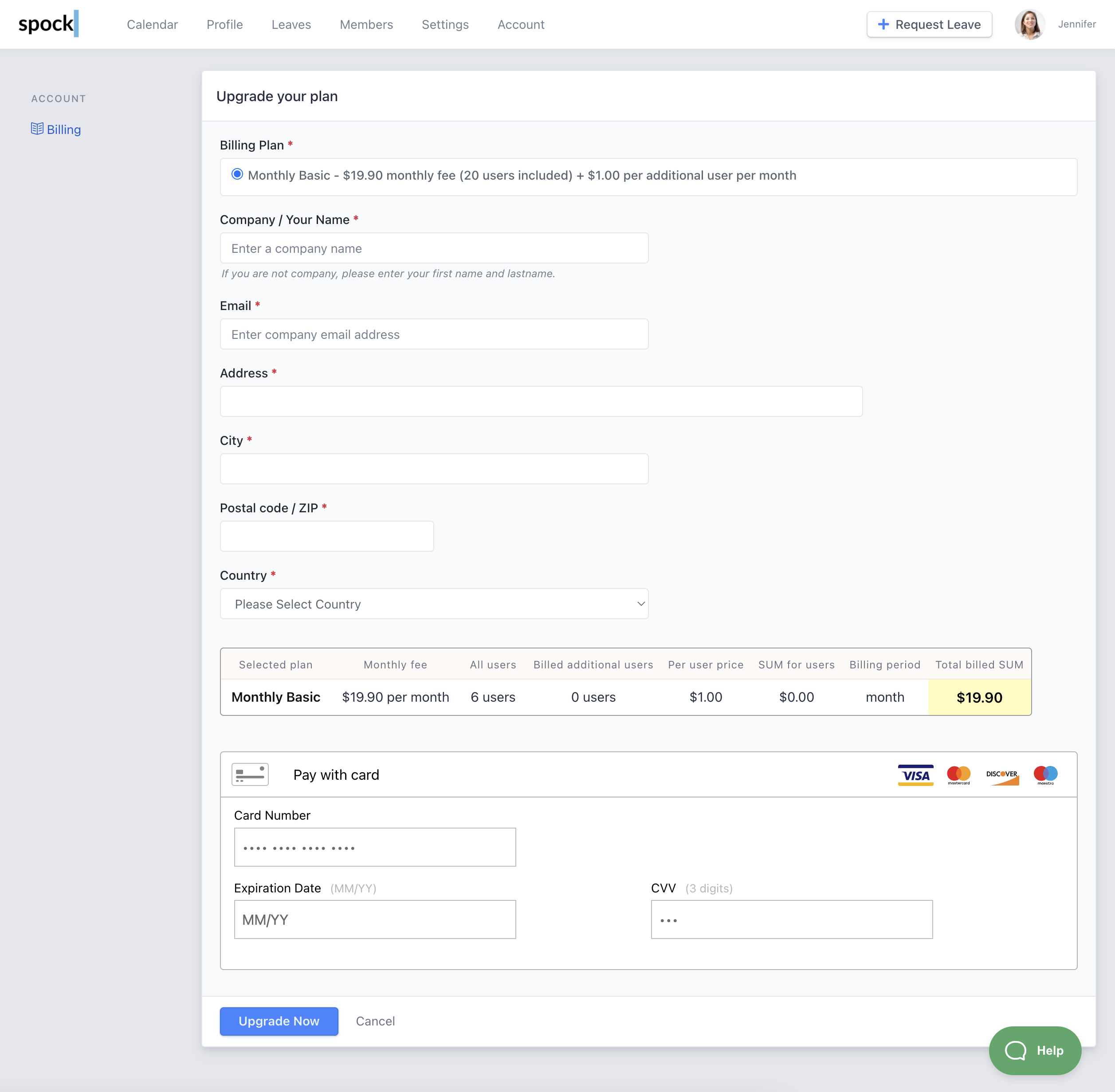
Enter your **billing** and **payment** information.
Click **Upgrade Now** button.
Enter your **billing** and **payment** information.
 ## Billing and Payment Details
The email address you enter is where we send invoices and receipts.
### Supported Payment Methods
We support the following credit cards:
* Visa
* Mastercard
* Maestro
* Discover
## Completing Your Subscription
When all information has been entered, click **Upgrade Now** button.
To finish payment you will be prompted to do **Purchase Authentication**.
After successful authentication, your subscription is created.
## After Upgrade
Once your subscription is successfully created, you will receive several communications:
1. **Subscription confirmation** - We will send you an email to confirm your subscription
2. **Payment receipt** - We send you the payment receipt immediately
3. **Invoice** - Invoice is sent in several hours by email
Keep these emails for your records. You can also access your invoices and receipts at any time through the Account section in the Spock Dashboard.
## Billing and Payment Details
The email address you enter is where we send invoices and receipts.
### Supported Payment Methods
We support the following credit cards:
* Visa
* Mastercard
* Maestro
* Discover
## Completing Your Subscription
When all information has been entered, click **Upgrade Now** button.
To finish payment you will be prompted to do **Purchase Authentication**.
After successful authentication, your subscription is created.
## After Upgrade
Once your subscription is successfully created, you will receive several communications:
1. **Subscription confirmation** - We will send you an email to confirm your subscription
2. **Payment receipt** - We send you the payment receipt immediately
3. **Invoice** - Invoice is sent in several hours by email
Keep these emails for your records. You can also access your invoices and receipts at any time through the Account section in the Spock Dashboard.