> ## Documentation Index
> Fetch the complete documentation index at: https://docs.spockoffice.com/llms.txt
> Use this file to discover all available pages before exploring further.
# Payment Method
> Learn how to update your payment method to ensure uninterrupted service.
Keeping your payment information up-to-date is essential for ensuring uninterrupted service and avoiding any potential disruptions due to an expired credit card. Whether your current card is nearing its expiration date or you've received a new one, it's important to update your payment method in our Billing System promptly.
## How to Change Payment Method
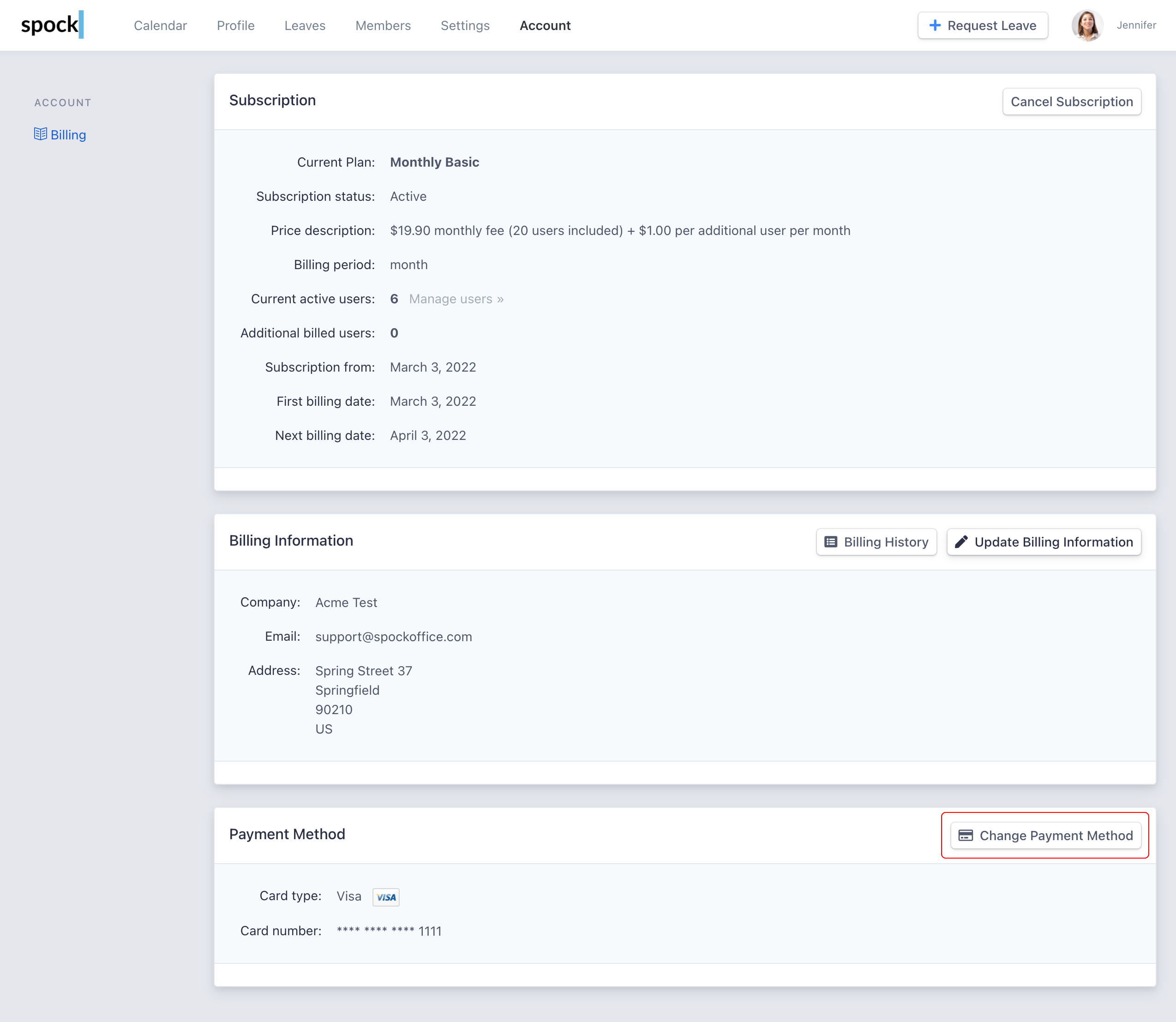
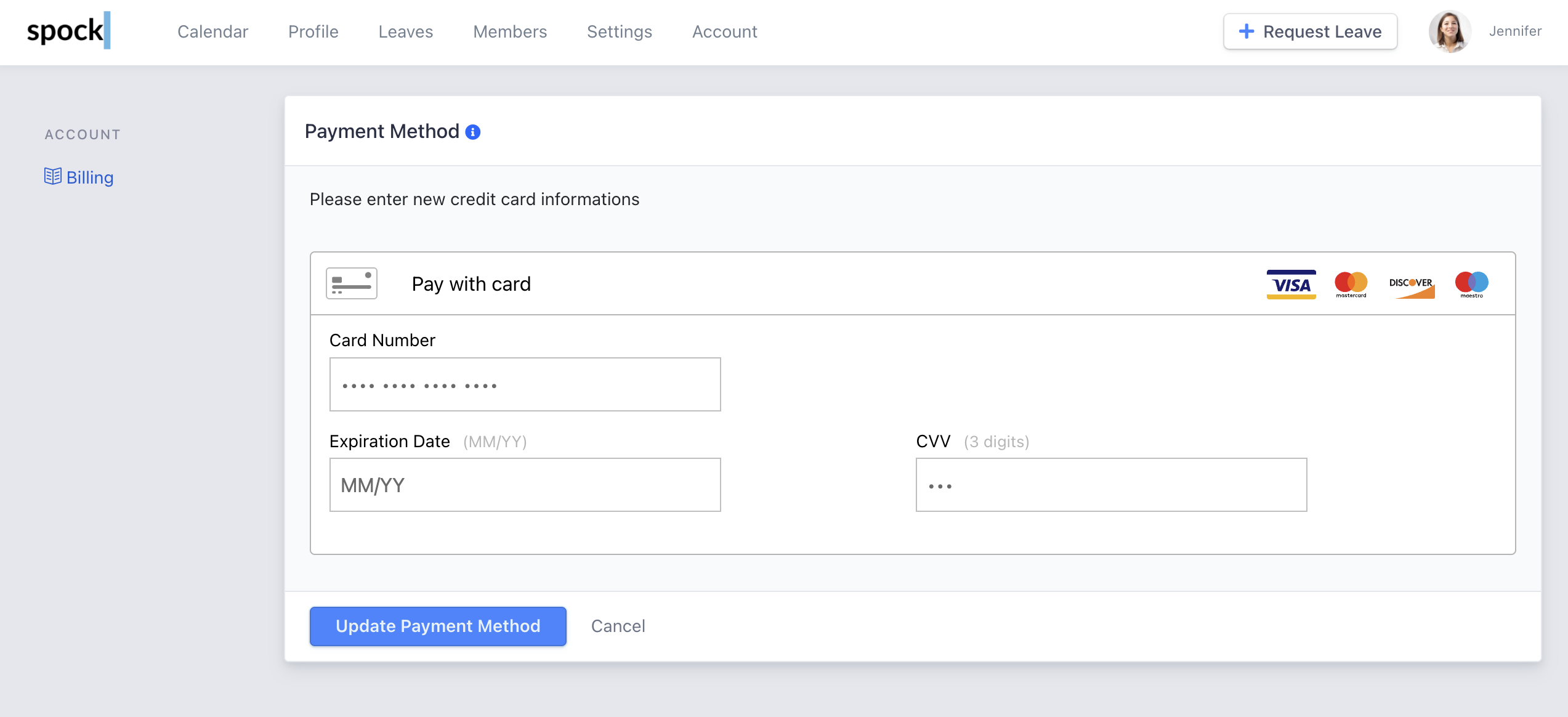 Click the **Update Payment Method** button to submit.
Update your payment method before your current card expires to avoid service interruptions.
Click the **Update Payment Method** button to submit.
Update your payment method before your current card expires to avoid service interruptions.