> ## Documentation Index
> Fetch the complete documentation index at: https://docs.spockoffice.com/llms.txt
> Use this file to discover all available pages before exploring further.
# Billing Information
> Learn how to update your organization's billing information in Spock Dashboard.
When you want to change billing information, follow these steps.
## How to Change Billing Information
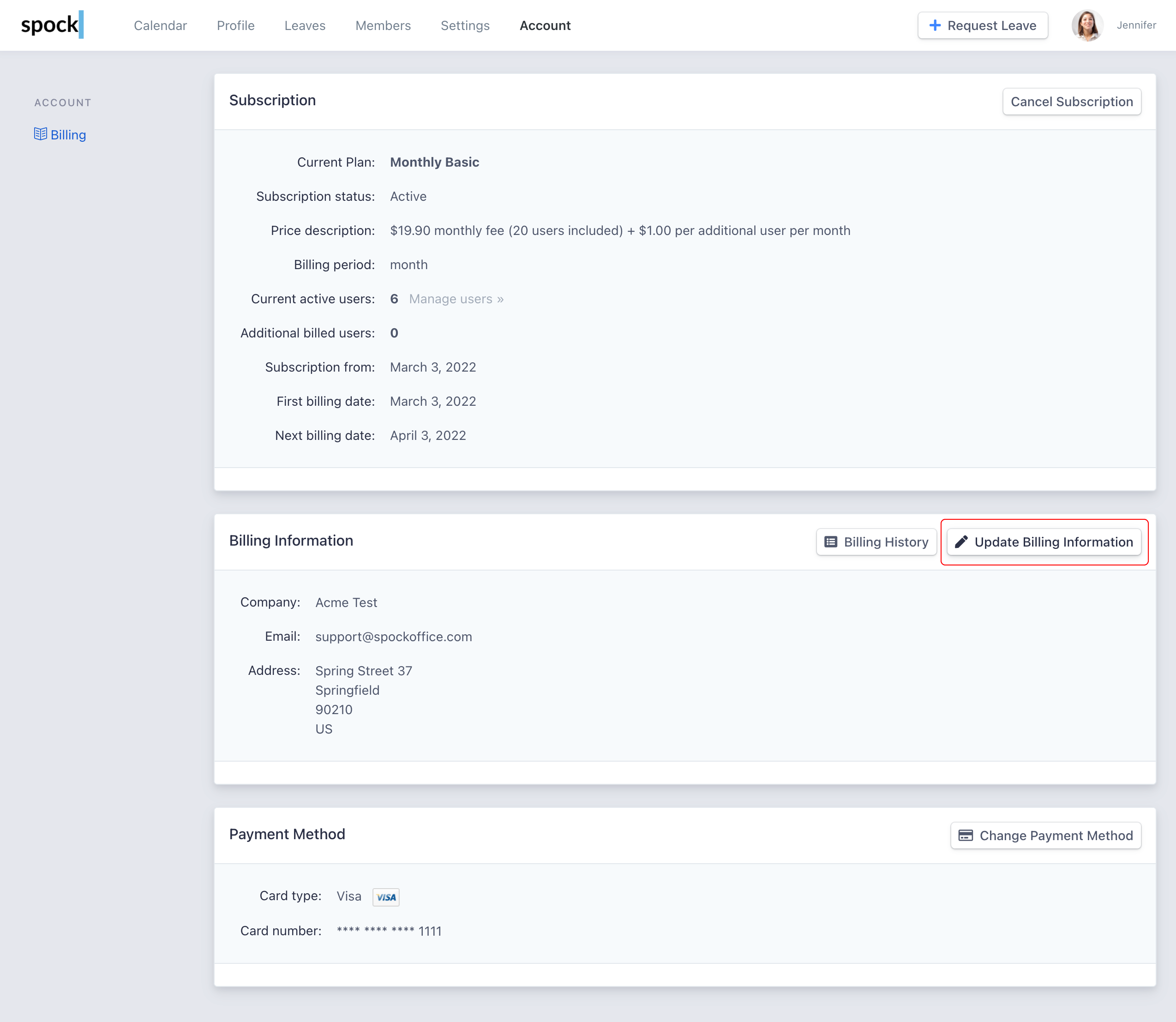
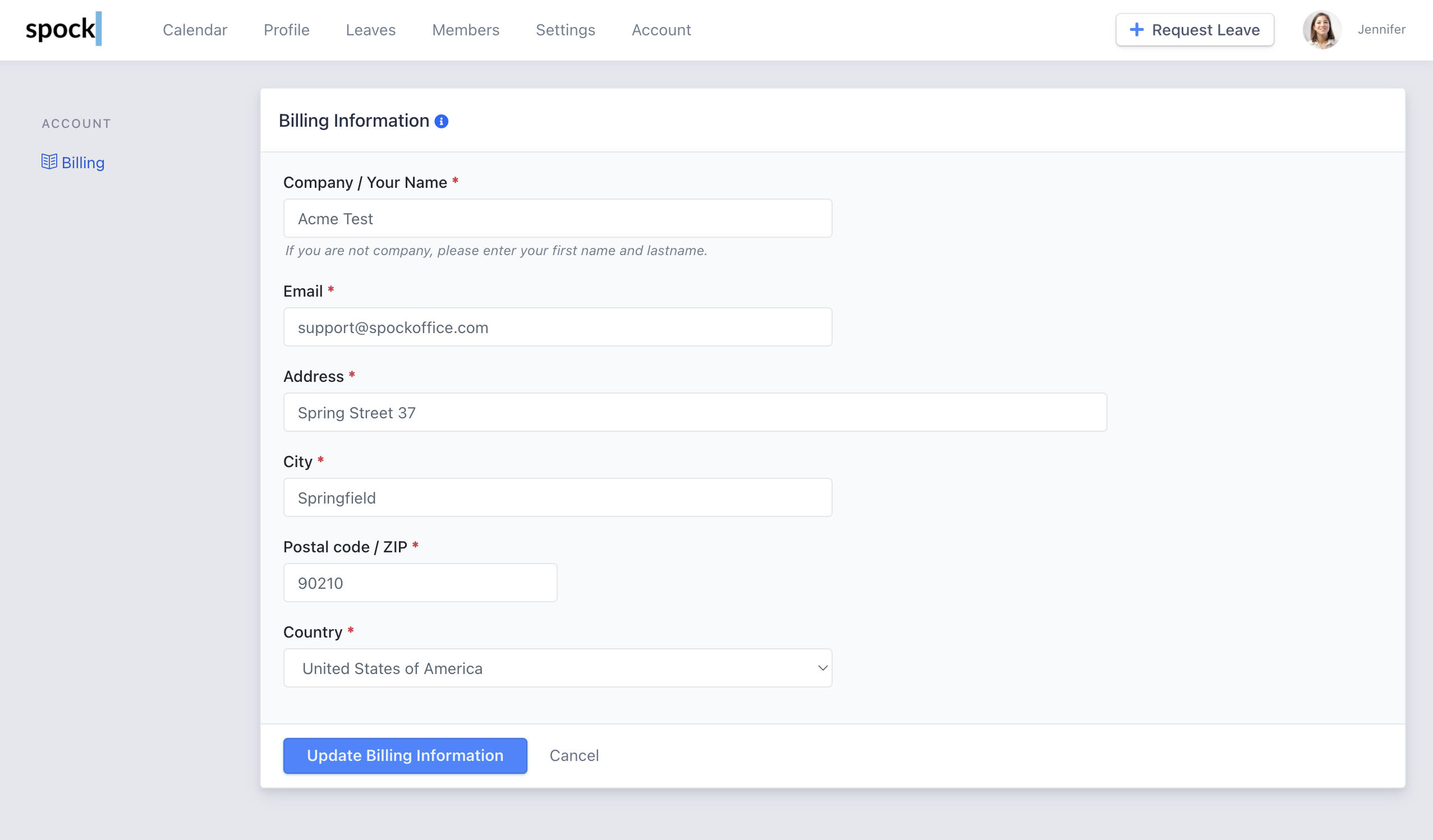 Click **Update Billing Information** button to submit.
Keep your billing information current to ensure you receive invoices and billing communications without interruption.
Click **Update Billing Information** button to submit.
Keep your billing information current to ensure you receive invoices and billing communications without interruption.